What is AuroraOS?
AuroraOS is a lightweight operating for the x86_64 architecture written in modern C. It is designed to be portable and to be as optimized as possible.
It is created by a solo developer, this project does not have any regular contributors at this moment.
This project is in development and accepting both PRs and feature requests — Don't be a stranger! If you want to contribute, just get in touch via Codeberg or via our official project thread in the osdev discord server
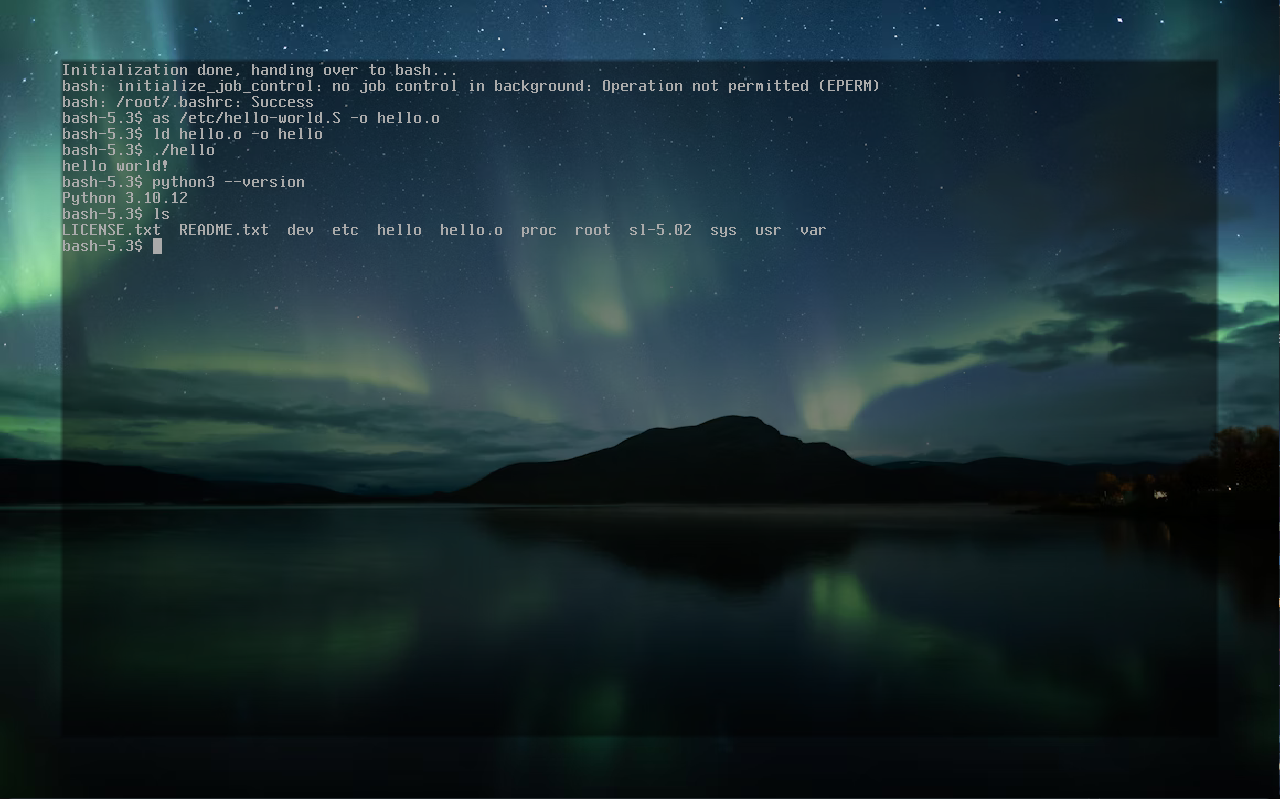
Features implemented
- Limine-based operating system with both QEMU and ISO support.
- Virtual file system which has many drivers, some include tmpfs, tarfs, devfs, procfs, and sysfs.
- Processes, threads, scheduler, fork, exec, and waitpid are implemented. c
- Userspace is implemented (it's able to run ELF's in userspace).
- The standard C library is implemented with the help of mlibc
- Many syscalls, which are all POSIX-compliant.
- IPC supports pipes, futexes, shared memory, message queues, signals, and partly unix sockets.
- Device and platform support for ACPI, PCI, timers, framebuffer, TTY, PTY, keyboard, and urandom
Ported software
- bash
- binutils
- coreutils
- fastfetch (not finished)
- gcc
- gzip
- make
- ncurses
- openrc (not finished)
- python
- readline
- sl
- vim
- xorg (not finished)
- zlib
Supported Operating Systems
Linux
The operating should ideally be built on Linux.
Windows
Windows is not well supported, currently I recommend you enable WSL for building the operating system on Windows.
Getting started
1. Build the OS:
$ git clone https://codeberg.org/aurora-org/AuroraOS.git
$ cd AuroraOS
$ meson setup build
$ meson compile -C build iso
2. Run the OS with QEMU:
$ qemu-system-x86_64 --drive format=raw,file=auroraos.img -serial stdio -no-reboot -d guest_errors,int,pcall,unimp,out_asm -D debug.log
Remove the -monitor stdio and use -nographic to run it just in the terminal.
Advice:
Use meson compile -C build run to build and run the OS.
Building on real hardware... So you are building AuroraOS on real hardware, I wouldn't recommend it but here is how.
$ meson compile -C build iso
Burn the auroraos.iso onto a bootable USB, this might work or not.. Good luck!
External dependencies
The following third-party software is currently used:
- Limine A modern, portable, multiprotocol bootloader and boot manager. License: BSD-No-Disclaimer-Unmodified
- Flanterm A fast terminal emulator with support for multiple output backends. License: MIT
- OBSD Freestanding C Headers A collection of freestanding C headers for use with GCC or Clang. License: 0BSD
- mlibc A portable, fully featured C standard library. License: MIT
- uacpi A portable and easy-to-integrate implementation of the Advanced Configuration and Power Interface (ACPI). License: MIT
 1.9.8
1.9.8